Internal vs External Links: What’s the Difference?
A clear, example-based guide to how each link type works, why both matter for SEO, and how to use them without hurting your site.
Every page on the web is connected by links, and every link falls into one of two groups. Understanding internal vs external links is one of the first steps in building a site that search engines can crawl and people can navigate. The difference is simple, but how you use each type has a big effect on your rankings, your authority, and your visitors’ experience.
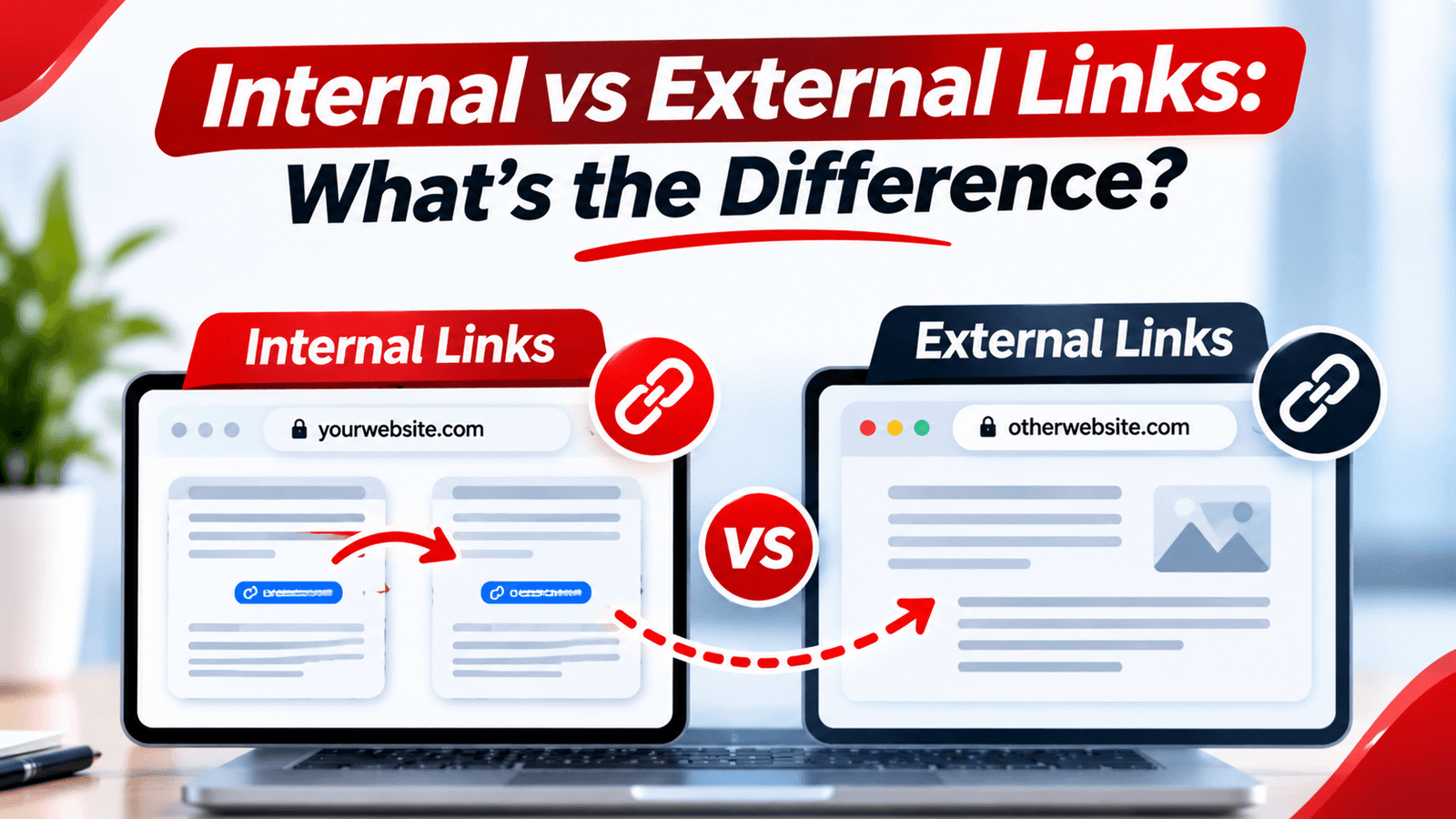
An internal link points from one page to another page on the same website. An external link points from your page to a page on a different website. Internal links help search engines find your pages and understand how they relate, while external links connect your content to trusted outside sources and give readers more value.
What Are Internal Links?
An internal link connects one page of your website to another page on the same domain. Your main menu, footer links, “related posts” boxes, and links placed inside article text are all internal links.
For example, on OnlineToolix, a link from a blog post to the SEO ROI Calculator is internal, because both pages sit on onlinetoolix.com:
What Are External Links?
An external link, also called an outbound link, points from your site to a page on a different domain. When you cite a source, reference a study, or send readers to an official guide, you are using an external link.
For example, linking from your article to Google’s documentation is external, because the destination is a different website:
People often confuse external links with backlinks. They are two sides of the same connection: a link you place on your site pointing to someone else is an external (outbound) link for you, while a link on someone else’s site pointing to you is a backlink (an inbound link) for you.
Internal vs External Links: Side-by-Side Comparison
| Feature | Internal links | External links |
|---|---|---|
| Destination | A page on your own domain | A page on a different domain |
| Who controls the target | You do | Someone else does |
| Main purpose | Navigation, crawling, and spreading authority across your site | Citing sources, adding credibility, and helping readers go deeper |
| Typical example | Blog post to a related tool or guide | Article to an official study or documentation |
| Risk if misused | Weak structure, orphan pages, spammy anchors | Linking to low-quality or irrelevant sites |
| Usual rel attribute | None needed | None, or nofollow / sponsored / ugc where appropriate |
Why Internal Links Matter for SEO
To see how this ties into building authority across a subject, read How to Earn Topical Authority in 2026.
Why External Links Matter
External links don’t directly boost your own rankings in a guaranteed way, but they still do useful work. They show readers where your information comes from, they connect your page to relevant, trustworthy resources, and they make your content more helpful. A page that backs a claim with a reliable source is generally more credible than one that makes the same claim with nothing behind it.
Google’s own guidance recommends that links be crawlable and use descriptive text. You can read the details in its documentation on link best practices.
Do External Links Hurt Your SEO?
No, not when they are relevant and trustworthy. Linking out to quality sources is a normal part of good content. The risks come from linking to spammy or unrelated sites, or from selling links without telling search engines. That is where link attributes help.
| Attribute | Use it when |
|---|---|
rel="nofollow" |
You don’t want to vouch for the page you’re linking to. |
rel="sponsored" |
The link is paid, an ad, or part of a sponsorship. |
rel="ugc" |
The link appears in user-generated content such as comments or forum posts. |
| No attribute (dofollow) | You genuinely recommend the page, such as a source you cited. |
Want to check which links on a page are followed? Try the Dofollow Link Checker and the Nofollow Link Checker, or read How to Find Dofollow Links for SEO.
Anchor Text Examples: Good vs Bad
Anchor text is the clickable words in a link. It should describe what the reader will find, whether the link is internal or external.
“Click here”
“Read more”
“This link”
“on-page SEO checklist”
“how to fix broken links”
“free keyword density checker”
Vary your anchors naturally and avoid repeating the exact same keyword every time. If you need ideas, the Anchor Text Generator can suggest variations.
Best Practices for Internal Links
Link to Closely Related Pages
A post about title tags should link to guides on meta descriptions and on-page SEO, not to something unrelated.
Place Links Inside the Content
Links within body text, where readers are already interested, usually work better than links buried in a footer.
Use Descriptive Anchor Text
Describe the destination in a few natural words instead of generic phrases.
Link Your Important Pages More
Pages you want to rank, such as key tools or pillar guides, should receive internal links from several relevant pages.
Update Old Posts
When you publish a new article, go back to older related posts and add a link to it so it isn’t orphaned.
Best Practices for External Links
- Link to trusted sources: official documentation, research, and well-established publications.
- Keep them relevant: the outside page should support what the sentence is saying.
- Don’t overdo it: a few well-chosen links beat a page packed with outbound links.
- Check them regularly: outside pages move or disappear, so audit for broken links.
- Qualify paid or user-submitted links: use sponsored or ugc where they apply.
Find and Fix Link Problems Fast
Run the Website Internal Link Checker, the Website External Link Checker, and the Website Broken Link Checker to spot weak spots. Then follow How to Find and Fix Broken Links for Better SEO.
A Real Example: Internal and External Links in One Paragraph
Here is a short paragraph showing both link types working together on a blog post about meta titles:
“Google may rewrite your title if it thinks another version fits better, as described in its title link documentation (external). To avoid that, follow our guide on how to write SEO title tags that rank higher (internal) and test the width with the Meta Title Pixel Checker (internal).”
“Google may rewrite your title, so click here to learn more. We have many guides, read more on our site.”
Common Link Mistakes to Avoid
If you’ve been affected by harmful inbound links, learn how to create a Google disavow file.
Frequently Asked Questions
What is the main difference between internal and external links?
Are external links bad for SEO?
How many internal links should a page have?
Is a backlink the same as an external link?
Should external links open in a new tab?
Final Thoughts
Internal and external links do different jobs, and a strong page uses both. Use internal links to build a clear structure and pass value between your own pages, and use external links to back up your claims with credible sources. Choose descriptive anchor text, keep links relevant, and audit them regularly. Done well, links make your site easier to crawl, easier to trust, and more useful to read.