Meta Title Length: Characters vs Pixels Explained
Why the “60 characters” rule is only a rough guide, what Google really measures, and how to write titles that never get cut off.
Almost every SEO guide tells you to keep your title under 60 characters. It’s decent advice, but it isn’t what Google actually measures. Google cuts a title when it runs out of width in pixels, not when it hits a character count. Understanding meta title length in both units helps you stop guessing and write titles that appear in full.
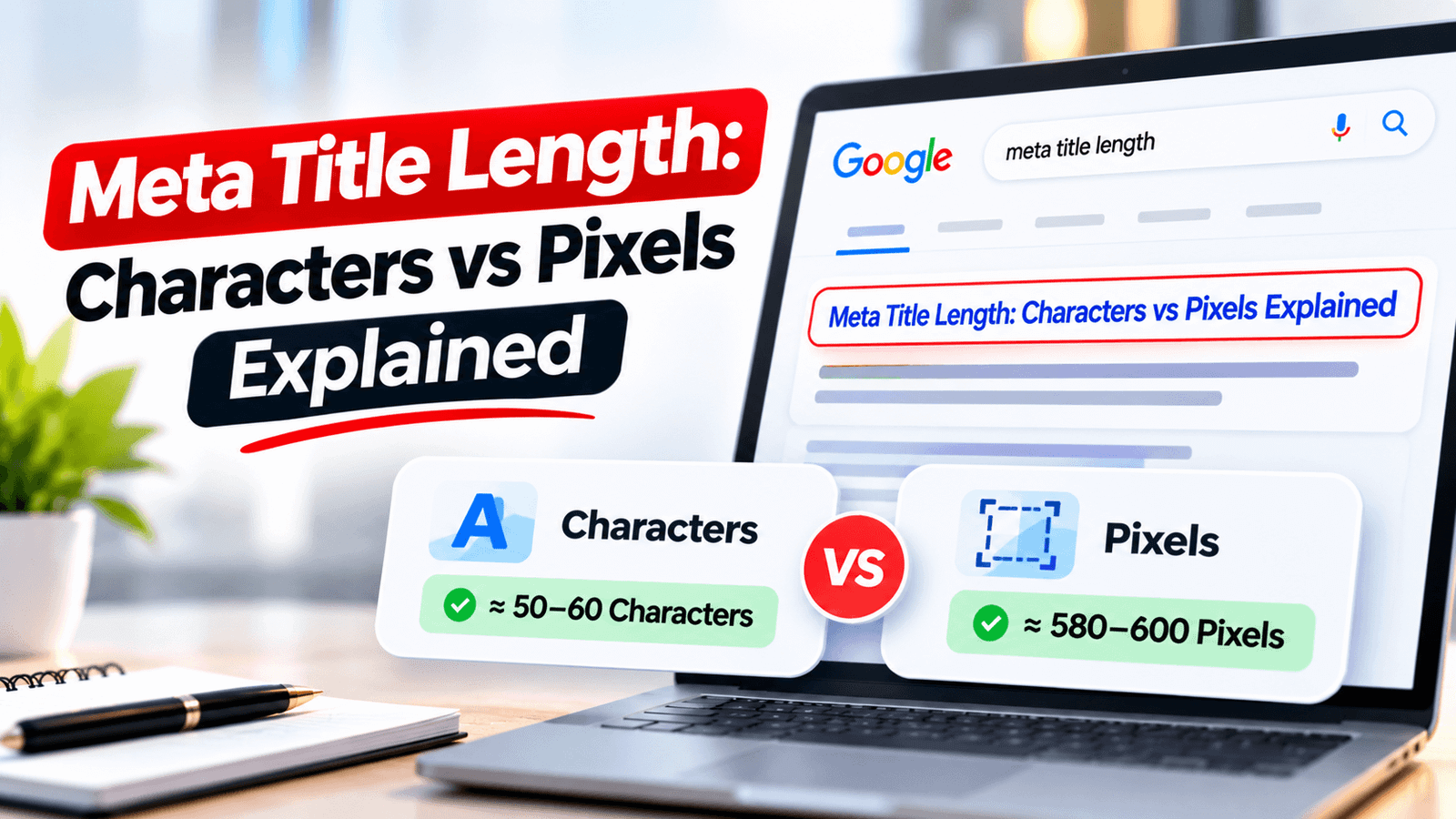
Aim for about 50-60 characters, but treat roughly 600 pixels as the real limit on desktop. Characters are only a shortcut, because wide letters like W and M take more space than narrow ones like i and l. Google doesn’t publish an official cutoff, so always check your title in a pixel checker before you publish.
What Is Meta Title Length?
Your meta title is the text inside the HTML <title> tag. Google usually shows it as the blue clickable headline in search results. Meta title length is simply how much room that headline takes up, and there are two ways to measure it: by counting characters, or by measuring the rendered width in pixels.
Why the Meta Title Matters for SEO and CTR
The meta title is often the first and only thing a searcher reads before deciding whether to click. It does two jobs at once: it tells search engines what the page is about, and it persuades people to choose your result over the others on the page.
It’s worth being precise about the SEO side. Google has said it does not use click-through rate as a direct ranking factor in the way many people assume, so don’t expect a title tweak to push you up the rankings overnight. The reliable benefit is more clicks at your current position, plus a clearer signal about what the page covers.
A Simple CTR Example
Click-through rate is clicks divided by impressions. Suppose a page gets 10,000 impressions a month in Google Search:
| Scenario | Impressions | CTR | Clicks |
|---|---|---|---|
| Old, vague title | 10,000 | 2% | 200 |
| Improved, clear title | 10,000 | 3% | 300 |
| Difference | Same | +1 point | +100 clicks (+50%) |
The numbers are illustrative, but the lesson is real: a one-point CTR gain on a page with decent impressions can add a meaningful amount of traffic without any extra link building or new content.
Characters vs Pixels: What’s the Difference?
A character count treats every letter the same. A pixel measurement doesn’t. Google displays titles in a proportional font, which means each glyph has its own width. A capital W is far wider than a lowercase i, so two titles with the same number of characters can fill very different amounts of space.
WOW! WOMEN’S MAXI DRESSES & WEDDING MOMS OUTFITS
All caps and wide letters use up space quickly, so this is likely to be cut off.
Illini Lilli’s Little Illinois Hill Mills Film Lines
Lots of narrow letters like i and l, so this is likely to fit despite being longer.
These two examples are illustrative, and exact results depend on the device and font rendering, but they show why a character count alone can mislead you.
The Numbers Most SEOs Use in 2026
Google has never published an official limit, and it changes its layout from time to time. The figures below are the widely used working estimates across the SEO industry.
| Element | Pixel width (approx.) | Characters (approx.) |
|---|---|---|
| Meta title, desktop | About 600 px | 50-60 |
| Meta title, mobile | Slightly tighter, varies by device | Aim for the low end of 50-60 |
| Meta description, desktop | About 920 px | 150-160 |
| Meta description, mobile | About 680 px | About 120 |
Because mobile is tighter and sources disagree on exact mobile numbers, the safest approach is to keep your title at the shorter end of the range and put the important words first.
What Happens When a Title Is Too Long?
When a title exceeds the available width, Google usually shortens it and adds an ellipsis (…). That can remove your most persuasive words, or even your brand, and lowers the chance of a click. Google can also choose to rewrite a title entirely if it thinks another version describes the page better, as explained in Google’s own documentation on title links.
A tidy, accurate, reasonably short title is the best way to keep Google using the one you wrote.
Examples: Too Long vs Just Right
The Complete Beginner’s Guide to Writing Meta Titles and Descriptions for Better Google Rankings in 2026
Meta Title Length: Characters vs Pixels Explained
Meta Title Length: Characters vs Pixels Explained | OnlineToolix
Meta Title Length: Characters vs Pixels Explained
If your brand name is important, keep it short and place it at the end, so if anything is cut, it’s the least critical part.
Before and After: Meta Titles Rewritten for Clicks
Here are practical rewrites. The “after” titles are specific, include the main keyword early, and tell the searcher what they’ll get, all while staying within a safe length.
| Before | After | Why it’s better |
|---|---|---|
| SEO ROI Calculator (18 chars) | SEO ROI Calculator: Free Tool to Measure Your Returns (53) | Adds the benefit and the word “Free” to answer “what’s in it for me”. |
| Page Speed Tips (15) | How to Improve Page Speed for SEO (Step-by-Step Guide) (54) | Matches the how-to search intent and promises a clear process. |
| Instagram Usernames (19) | Instagram Usernames for Boys: 250+ Cool Ideas to Copy (53) | Adds a number, a specific audience, and a clear action. |
| Schema Markup (13) | What Is Schema Markup? A Simple Beginner’s Guide (48) | Matches the question people search for and sets a beginner-friendly tone. |
Meta Title Formulas You Can Reuse
Use these as starting points and keep the wording honest. A title that overpromises may win a click but loses the visitor right after, which doesn’t help anyone.
How to Improve CTR With Better Titles
Find Pages With Low CTR
In Google Search Console, open the Performance report and look for pages with many impressions but a low click-through rate. These are your best opportunities.
Check the Search Intent
Look at what the top results promise. If competitors offer lists, templates, or tools and your title is a plain label, you may be mismatching intent.
Rewrite With a Clear Benefit
Add a number, a result, or a useful qualifier, and keep the main keyword near the front.
Confirm It Fits
Test the new title in the Meta Title Pixel Checker so the benefit isn’t cut off.
Wait and Compare
Give the change a few weeks, then compare CTR for the same page before and after. Change one thing at a time so you know what worked.
How to Check Your Meta Title Length
Write the Title First
Draft it for readers and the keyword, without worrying about length. Then trim.
Measure It in Pixels
Paste it into the Meta Title Pixel Checker to see its real width, not just a character count.
Preview the Search Result
Use the SERP Preview Checker to see how the title and description look together.
Check the Description Too
The description has its own budget. Test it with the Meta Description Pixel Checker.
Trim From the End
If it’s too wide, remove filler words, the brand name, or extra modifiers, never the main keyword.
Practical Rules for Titles That Never Get Cut Off
- Front-load the keyword. Put your main phrase in the first few words so it survives any truncation.
- Avoid all caps. Capital letters are wide and eat space fast.
- Skip filler. Words like “the complete”, “ultimate”, or “a guide to” rarely earn their pixels.
- Use one separator. A single colon or dash is enough, and extra symbols just add width.
- Test, don’t assume. A title with 58 characters can be cut off while one with 62 fits, depending on the letters.
For deeper guidance on wording, read How to Write SEO Title Tags That Rank Higher. Once the title is done, make sure the description earns the click too with How to Improve Meta Descriptions for More Clicks.
Does the Meta Description Work the Same Way?
Yes, in principle. Descriptions are also cut by pixel width, not characters, but their limits are different: roughly 920 px on desktop and about 680 px on mobile. Google also sometimes shows its own snippet instead of your description, and on some results it adds a date in front of the text, which uses part of your space. Keeping your key message within the first 120 characters is a safe habit.
Common Meta Title Length Mistakes
Check the Rest of Your On-Page Basics
A well-sized title is just one piece of the puzzle. Use our on-page SEO checklist to review headings, meta tags, internal links, and content in one pass.
Frequently Asked Questions
What is the ideal meta title length?
Is the 60 character limit a myth?
Does a longer title hurt rankings?
Are meta title limits different on mobile?
Can Google change my meta title?
Why is the meta title important for SEO?
Is CTR a ranking factor?
Final Thoughts
Meta title length comes down to one idea: Google measures width, and characters are only an estimate. Keep your titles around 50-60 characters, put the keyword first, avoid wide capitals and filler, and always confirm the result in a pixel checker before you publish. A title that appears in full is easier to read, easier to trust, and more likely to be clicked.