
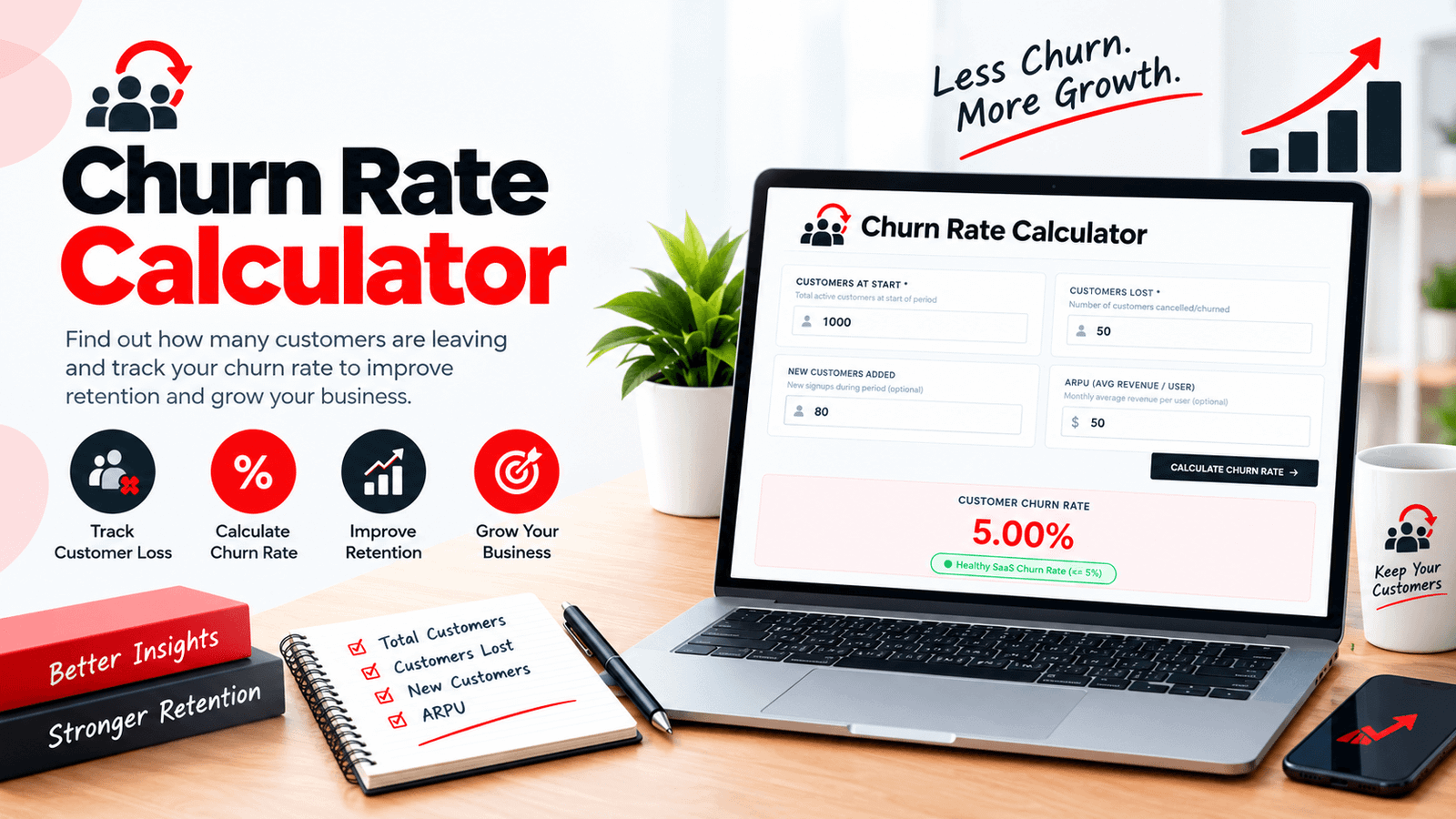
Churn rate is the percentage of customers you lose over a period. Divide the customers who left by the customers you had at the start, then multiply by 100. If you began the month with 1,000 customers and 50 cancelled, your churn rate is 5%. Our Churn Rate Calculator does this instantly and also shows your retention rate, your customer count at the end of the period, and an estimate of the monthly recurring revenue you lost.
Churn Rate Calculator — Free Online Tool
Growth numbers can hide a leaky bucket. A business that adds 80 customers a month looks like it's growing, but if 50 customers leave in the same month, a large share of the effort goes into replacing people rather than moving forward. Churn rate is the number that shows how big that leak is.
This page explains how to calculate churn, how to read the result, and where simple churn figures can mislead you. It also shows how to use the Churn Rate Calculator on this page, with worked examples you can check by hand. To see what it costs to replace the customers you lose, pair it with our Customer Acquisition Cost Calculator.
What Is Churn Rate?
Churn rate, sometimes called attrition rate, measures how many customers stop buying or subscribing during a given period. It is most closely watched by businesses with recurring revenue, such as software subscriptions, memberships, and services billed monthly, because every lost customer takes future payments with them.
Its mirror image is retention rate: the percentage of customers who stayed. The two always add up to 100%.
The Churn Rate Formula
Two details matter here:
- The denominator is the number of customers at the start of the period, not the average or the end count.
- New customers who sign up during the period are not part of the calculation. They affect your total customer count, but not the churn rate for the starting group.
How to Use the Churn Rate Calculator
The tool has four inputs, two required and two optional:
Active customers at the beginning of the period.
How many of those customers cancelled or churned.
Signups during the period, used only to calculate the ending customer count.
Your average monthly revenue per user, used to estimate lost recurring revenue.
It returns your churn rate, your retention rate, your customer count at the end of the period, and your estimated lost monthly recurring revenue (MRR). A second tab, the Churn Guide, summarizes the formulas.
A Worked Example
Say you start the month with 1,000 customers. During the month, 50 cancel and 80 new customers join. Your ARPU is $50.
- Churn rate: 50 ÷ 1,000 × 100 = 5%
- Retention rate: 100% − 5% = 95%
- Customers at end: 1,000 − 50 + 80 = 1,030
- Lost MRR: 50 × $50 = $2,500
Notice that the business grew from 1,000 to 1,030 customers and still lost $2,500 of monthly recurring revenue. That is why churn deserves its own line in your reporting, separate from overall growth.
One caution on the lost revenue figure: it assumes every lost customer was paying your average ARPU. If the customers who left were on cheaper or pricier plans than average, your real lost MRR will differ, and you would need to total the actual plan values for an exact number.
Why Monthly Churn Adds Up Faster Than It Looks
A churn rate that sounds small can become large over a year, because the losses compound. You cannot simply multiply the monthly rate by 12.
| Monthly churn | Customers retained after 12 months | Customers lost over 12 months |
|---|---|---|
| 2% | about 78.5% | about 21.5% |
| 3% | about 69.4% | about 30.6% |
| 5% | about 54.0% | about 46.0% |
So a steady 5% monthly churn means that, if nothing else changed, roughly half of a starting group of customers would be gone within a year, not the 60% you would get from multiplying 5% by 12. This assumes a constant rate, which real businesses rarely have exactly, but it is a useful way to see why even a point of monthly churn matters.
Estimating Customer Lifetime from Churn
A common back-of-the-envelope estimate of how long a customer stays is:
At 5% monthly churn, that is about 20 months. At 2%, about 50 months. Multiplying by ARPU gives a rough lifetime revenue per customer: $50 × 20 months = $1,000 at 5% churn. This is a simplification because it assumes a constant churn rate and uses revenue, not profit, but it shows how churn directly caps how much each customer is worth, and how much you can sensibly spend to acquire one. To test that spending ceiling against real campaign returns, check your numbers with the Break Even ROAS Calculator.
What Does the Tool's Color Label Mean?
Below the churn rate the calculator shows a short label. It uses general rules of thumb, flagging results up to 3% as excellent, up to 5% as healthy, up to 8% as moderate, and above 8% as high. These cut-offs are intended for monthly churn in subscription software. Treat them as a quick signal rather than a verdict, for these reasons:
- Business model matters. Low-priced consumer subscriptions and long-term business contracts naturally behave differently.
- Time period matters. If you enter annual figures, a monthly rule of thumb no longer applies.
- Your own trend is the best benchmark. A rate that is falling over several months is usually more informative than a comparison with an outside number.
Customer Churn vs Revenue Churn
The calculator reports customer churn, and customer counts alone can hide important detail:
- Customer (logo) churn counts how many customers left.
- Revenue churn measures how much recurring revenue left, which depends on the value of the customers who cancelled.
If your biggest accounts leave, revenue churn can be much worse than customer churn suggests. If mostly small accounts leave, it can be better. For a clearer picture, track both, and consider segmenting by plan, acquisition channel, or customer type.
Voluntary and Involuntary Churn
Not all churn is a decision. Voluntary churn is when a customer chooses to cancel. Involuntary churn happens without that choice, most commonly through failed or expired payment methods. The two usually need different fixes: voluntary churn points to product, pricing, or support issues, while involuntary churn is often reduced through payment reminders and retry processes.
Who Benefits from a Churn Rate Calculator?
SaaS Founders and Product Managers
Track retention month over month and spot problems early.
Subscription Box and Membership Owners
See how many subscribers each billing cycle you need to replace just to stay level. Our Shopify Profit Margin Calculator shows what each subscriber actually earns you after costs.
Agencies and Service Businesses on Retainers
Understand how long clients stay and what turnover costs.
Marketing and Growth Teams
Compare what you spend to acquire customers against how long they actually stay. Start with the Cost Per Lead Calculator and the Google Ads ROAS Calculator to see the cost side of that equation.
Investors and Advisors
Run a quick sanity check on a reported retention figure.
Practical Ways to Reduce Churn
There is no universal fix, and the right approach depends on why customers leave. These steps are a sensible starting point:
- Ask customers why they cancel. A short exit survey is often the quickest way to find the real reasons.
- Look at early behaviour. Customers who never reach key features in the first weeks are often at higher risk, so improve onboarding.
- Fix payment failures. Retry failed payments and remind customers to update expiring cards.
- Segment your churn. Find out which plans, channels, or customer types leave most, and focus there first.
- Stay in touch with at-risk accounts. Declining usage is a useful early warning. Email campaigns help here, and our Email Open Rate Calculator shows whether your win-back messages are actually being read.
As a quick illustration of the stakes: with 1,000 customers and a $50 ARPU, cutting monthly churn from 5% to 4% keeps 10 more customers each month, worth $500 of monthly recurring revenue, and that effect builds as the saved customers keep paying.
Tips for Calculating Churn Accurately
Define churn clearly. Decide whether it means cancellation, non-renewal, or inactivity, and keep the definition consistent.
Use the same period every time. Compare month with month, not month with quarter.
Count only the starting group. Customers who joined and left within the same period are best tracked separately so they don't distort the figure.
Be careful with small numbers. With 20 customers, a single cancellation is a 5% churn rate, so one account can swing the result.
Use real ARPU. An estimate that is far from your actual average will distort the lost-revenue figure.
Frequently Asked Questions
Final Thoughts
A churn rate is one of the simplest numbers in a subscription business and one of the most useful. It tells you how much of your effort goes into replacing customers instead of growing, and it puts a price on every customer who leaves. Use the Churn Rate Calculator to get an accurate figure each period, then watch the trend, segment where the losses come from, and look at revenue as well as customer counts. For the acquisition side of the picture, pair it with our Customer Acquisition Cost Calculator and SEO ROI Calculator.
For a clear walkthrough of the churn formula and related ideas such as revenue churn, see Stripe's guide to calculating churn rates.
Enter your own customer numbers in the Churn Rate Calculator above and see where you stand.