
Shopify Break Even Calculator — Free Online Tool
Before you can talk about profit, you need to know one number: how many units do you actually have to sell before your store stops losing money and starts breaking even? That single figure — your break-even point — is easy to estimate roughly but surprisingly easy to get wrong when you try to calculate it by hand, especially once ad spend, shipping, and gateway fees all factor in separately. That's exactly what our Shopify Break Even Calculator was built to solve. Enter your fixed monthly costs alongside your per-item numbers, and you get an instant, specific answer: exactly how many units and how much revenue you need each month just to cover everything.
Whether you're planning a new store's first month, deciding if a product idea is viable, or figuring out how much room you have to scale ad spend, this Shopify Break Even Calculator gives you a clear number to work from instead of a rough guess. Once you know your break-even units, check your overall margin picture with our Shopify Profit Margin Calculator to see how profitable every sale beyond that point actually is.
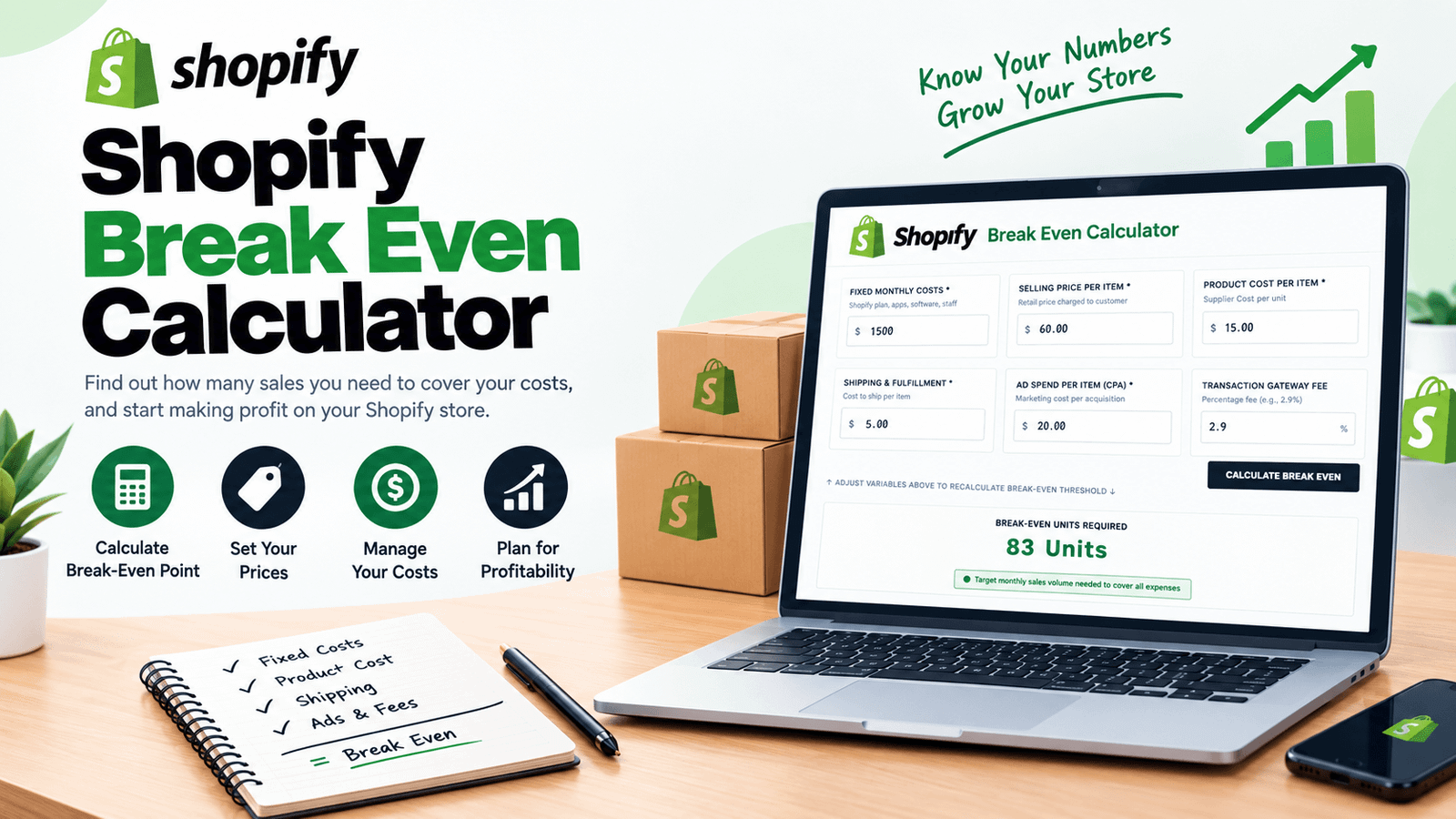
What Is a Shopify Break Even Calculator?
A Shopify Break Even Calculator is a tool that converts your fixed monthly overhead and per-item variable costs into the exact sales volume required to cover both. Rather than manually working through contribution margin math every time your costs change, you enter your numbers once and get an instant break-even unit count and revenue target.
01. Saves Time
No more recalculating contribution margin by hand every time a cost line changes.
02. A Specific Target, Not a Guess
Get an exact unit count instead of a vague sense of "we need more sales."
03. Instant Updates
Adjust any cost and immediately see how your break-even point shifts.
How Do I Calculate My Break-Even Point on Shopify?
If you're asking how to calculate break-even point on Shopify, the underlying logic works in two steps. First, you calculate your contribution margin per unit — your selling price minus every variable cost tied to that single sale (product cost, shipping, ad spend, and the percentage-based payment gateway fee). Second, you divide your total fixed monthly costs by that contribution margin:
Break-Even Units = Fixed Monthly Costs ÷ Contribution Margin Per Unit
This tells you the number of units you need to sell in a month before your contribution margin has fully covered your fixed overhead. Every unit sold after that point starts contributing to actual profit rather than just covering costs.
What Is Contribution Margin in Ecommerce?
Contribution margin is simply what's left from a single sale after subtracting every cost that varies with that specific sale — product cost, shipping, advertising spend to acquire that customer, and the payment processing fee charged on that transaction. It does not include fixed costs like your Shopify subscription or app fees, since those stay the same whether you sell one unit or a thousand. This distinction matters because contribution margin is the number that actually pays down your fixed costs; a healthy selling price with a thin contribution margin can still leave you needing an unrealistic sales volume to break even.
How the Shopify Break Even Calculator Works
Using the tool takes less than a minute. Here's the process:
Input your Shopify plan, app subscriptions, software, and any staff costs that stay constant regardless of sales volume.
Add the retail price you charge per item.
Input your supplier cost per unit.
Add your per-item shipping expense.
Input your average cost to acquire a customer per sale.
Add your payment processor's transaction fee rate.
Instantly see your required units, break-even revenue, and contribution margin per unit.
No sign-up, no spreadsheet setup — just an instant, specific break-even target every time your costs change.
Key Features of This Shopify Break Even Calculator
- Instant Break-Even Unit Count — See exactly how many sales you need, updated live as you adjust any input.
- Contribution Margin Per Unit — Understand precisely what each sale contributes toward covering fixed costs.
- Break-Even Revenue Target — Get a dollar figure alongside the unit count, useful for setting monthly sales goals.
- Gateway Fee Included — Factors in your payment processor's percentage fee automatically, not just flat costs.
- Unprofitable Unit Economics Warning — Flags clearly if your selling price doesn't even cover variable costs, before you calculate anything else.
- Built-In Break-Even Guide — A dedicated tab explaining contribution margin, fixed costs, and advertising efficiency in plain terms.
- 100% Free and Private — Everything runs directly in your browser; no data is uploaded or stored.
How Many Sales Do I Need to Break Even?
This is really the central question the calculator answers, and the honest answer is: it depends entirely on your specific fixed costs and contribution margin, which is exactly why a generic rule of thumb won't help you here. A store with low fixed overhead and a wide contribution margin might break even with a handful of sales a month. A store with higher fixed costs or thin per-unit margins might need hundreds of units before covering overhead. Rather than guessing, running your actual numbers through the calculator gives you the specific figure for your own store.
Who Should Use a Shopify Break Even Calculator?
New Store Owners
Understand realistically how many sales your first month needs to produce before you're even covering costs, so you can set honest expectations.
Product Testers
Check whether a new product's margin and your expected ad costs result in a break-even point that's actually achievable with realistic traffic. Compare it against your Dropshipping Profit Margin Calculator results if you're sourcing from a dropshipping supplier.
Store Owners Considering a Price Change
See immediately how adjusting your selling price shifts your contribution margin and, in turn, how many fewer (or more) units you'd need to break even.
Anyone Planning to Scale Ad Spend
Understand how rising CPA affects your break-even point before committing to a larger ad budget. Cross-check your required return with our Break Even ROAS Calculator.
Agencies & Consultants
Give clients a clear, specific break-even target instead of a vague profitability conversation.
What Is a Good Break-Even Point for an Online Store?
There's no single universal answer here, since it depends on your traffic potential and how quickly you can realistically reach your required unit count — a break-even point of 50 units a month means something very different for a store with 10,000 monthly visitors than for one with 500. What matters more than the raw number is whether your break-even point is achievable given your actual traffic and conversion rate, and whether your contribution margin leaves enough room that scaling past break-even translates into meaningful profit rather than marginal gains.
Using the Break-Even Guide Tab
Beyond the main calculator, this tool includes a dedicated guide covering three core concepts. First, contribution margin — what remains from each sale after subtracting variable costs, which is the figure that actually pays down your fixed overhead. Second, fixed cost overhead — your Shopify subscription, app subscriptions, VA salaries, and software tools that have to be paid regardless of how many units you sell that month. Third, advertising efficiency — since CPA is often one of the largest variable costs in the entire equation, keeping it under control has an outsized effect on how many units you need to break even.
Tips for Getting the Most Accurate Results
Include every fixed cost you actually pay monthly, not just your Shopify subscription — app fees and software tools add up.
Use your real average CPA from recent campaigns rather than an optimistic estimate, since this input has a major effect on your contribution margin.
Recalculate whenever a cost changes, since even small shifts in product cost or ad spend can meaningfully move your break-even point.
If your contribution margin comes back negative or near-zero, treat that as a signal to revisit pricing or sourcing before launching a product, not just as a number to note.
Compare your break-even unit count against realistic traffic and conversion expectations, not just against your overall sales ambitions.
Frequently Asked Questions
Final Thoughts
Knowing your break-even point turns a vague sense of "we need to sell more" into a specific, actionable number. This Shopify Break Even Calculator gives you that number instantly, factoring in fixed overhead alongside product cost, shipping, advertising spend, and payment gateway fees together, rather than leaving you to add them up separately. Whether you're planning a launch, testing a new product, or deciding whether to scale ad spend, it replaces guesswork with a clear target you can actually plan around. Pair it with our Shopify Profit Margin Calculator and Customer Acquisition Cost Calculator for the complete financial picture of your store.
For more on break-even analysis fundamentals, see Investopedia's guide to break-even analysis for further background on the underlying concept.
Try the Shopify Break Even Calculator now and find out exactly how many sales your store needs.