
Cost Per Thousand Calculator — Free Online Tool
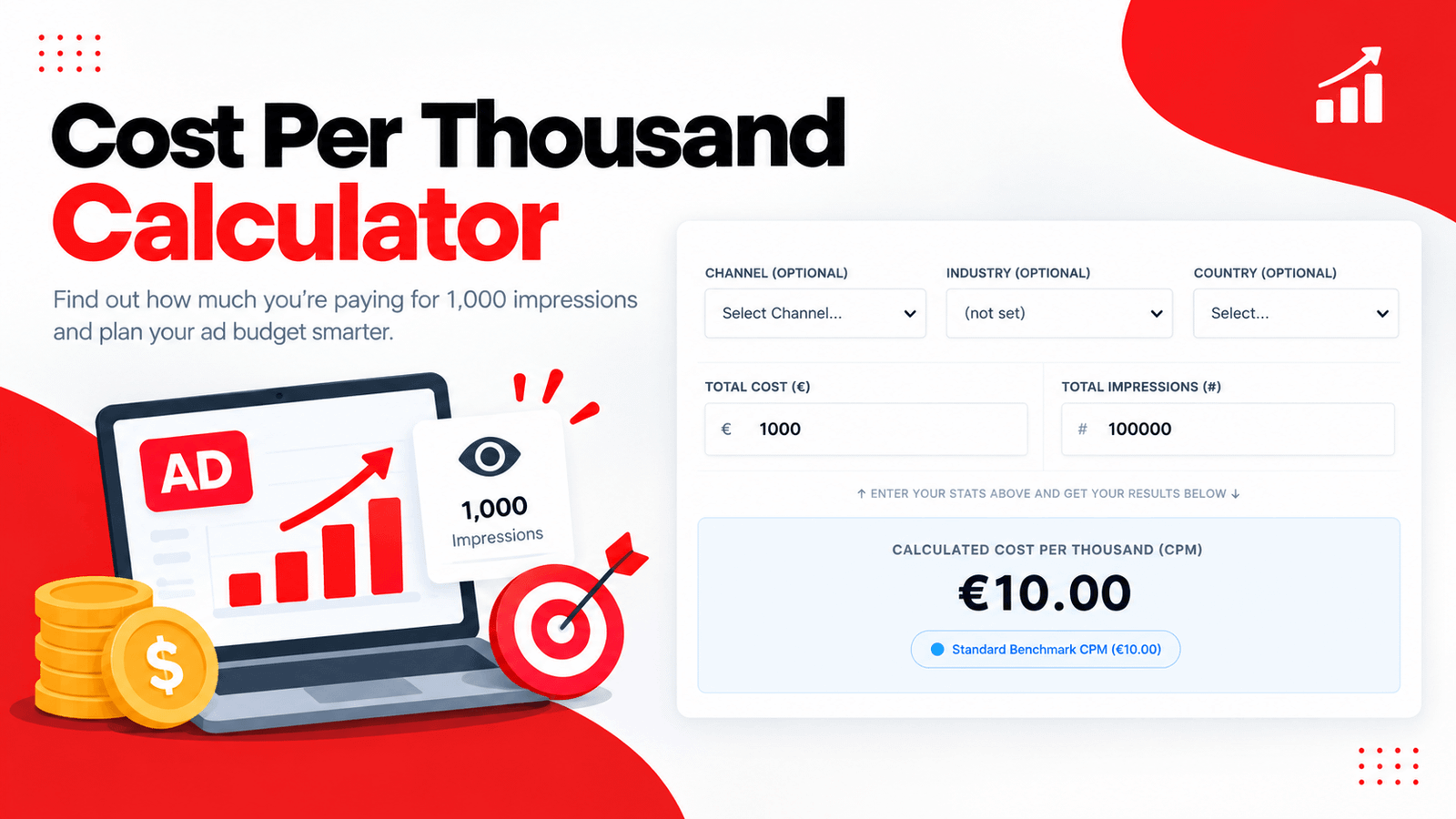
Impressions are cheap individually, but at scale, the cost per thousand adds up fast — and without a clear CPM figure, it's hard to know whether your media buy is actually efficient. That's exactly what our Cost Per Thousand Calculator was built to solve. Instead of dividing total cost by impressions and multiplying by 1,000 in a spreadsheet, you enter your numbers once and get an instant CPM figure along with a verdict on how it compares to typical channel benchmarks.
Whether you're running paid social, display and banner ads, or paid search campaigns, this Cost Per Thousand Calculator gives you a fast, clear read on your impression cost efficiency. If your campaign also drives video views, pair it with our Cost Per View Calculator to see cost efficiency across both impressions and views.
What Is a Cost Per Thousand Calculator?
A Cost Per Thousand Calculator — commonly known as a CPM calculator, since CPM stands for "cost per mille," with "mille" being Latin for thousand — is a tool that converts your total campaign cost and impression count into a single, standardized efficiency metric. Rather than calculating this manually every reporting period, you enter your numbers once and get an instant CPM figure along with a performance verdict.
01. Saves Time
No more rebuilding the same cost-divided-by-impressions formula every time you check performance.
02. Adds Context
Get a performance verdict and channel benchmark comparison, not just a raw number.
03. Instant Results
See your CPM update live as you adjust your cost or impression count.
How Do I Calculate Cost Per Thousand?
If you've searched how do I calculate cost per thousand, here's the formula this tool runs behind the scenes:
CPM = (Total Cost ÷ Total Impressions) × 1,000
You divide your total spend by the number of impressions you received, then multiply by 1,000 to express the cost per thousand impressions rather than per single impression — which would otherwise be an impractically small fraction of a currency unit.
How to Calculate a Price Per 1000
If you're wondering how to calculate a price per 1000, the process is identical to the CPM formula above, just phrased differently. Take your total spend, divide it by your total quantity (impressions, in this case), and multiply the result by 1,000. This same basic approach — cost divided by quantity, scaled to a per-thousand rate — applies anywhere you see pricing expressed "per 1000," not just in digital advertising.
How to Calculate Per 1000 Rate
Similarly, if you need to know how to calculate per 1000 rate for any metric, not just impressions, the underlying math stays the same: divide your total cost by your total unit count, then multiply by 1,000. For CPM specifically, "units" means ad impressions, but the same rate-scaling logic applies whether you're pricing print materials, mailers, or any other quantity sold in bulk thousands.
How the Cost Per Thousand Calculator Works
Using the tool takes less than a minute. Here's the process:
Select a channel, industry, and country to add context to your calculation (all optional).
Input the total amount spent on the campaign you're evaluating.
Add the number of impressions that campaign generated.
See your CPM, along with a color-coded verdict, update live as you adjust either input.
Switch to the second tab to compare your CPM against typical ranges across paid social, display, and paid search.
No sign-up, no spreadsheet setup — just an instant, contextualized CPM figure every time you check.
Key Features of This Cost Per Thousand Calculator
- Instant CPM Calculation — See your cost per thousand impressions update live as you type.
- Optional Campaign Tagging — Add channel, industry, and country context to keep your calculations organized.
- Color-Coded Verdicts — Instantly see whether your CPM is highly cost-effective, standard, or on the high side.
- Built-In Channel Benchmark Matrix — Compare your result against typical CPM ranges for paid social, display, and paid search.
- Clean Stats Breakdown — See your total cost, total impressions, and CPM side by side at a glance.
- 100% Free and Private — Everything runs directly in your browser; no data is uploaded or stored.
What Is the Cost Per 1000 Across Different Channels?
If you're asking what is the cost per 1000 for a specific advertising channel, the answer varies significantly. This tool's built-in reference matrix breaks down typical CPM ranges:
Having these ranges built directly into the calculator means you don't need to separately research what counts as reasonable for your specific channel.
Who Should Use a Cost Per Thousand Calculator?
Media Planners
Quickly check whether a campaign's CPM is trending in a healthy direction without rebuilding the same formula in a spreadsheet each week.
Agencies Reporting to Clients
Present a clear CPM figure alongside a channel benchmark comparison, making impression-based campaign performance easier to explain and justify. Pair it with the Google Ads ROAS Calculator for a complete report spanning awareness through conversion.
Brand & Awareness Teams
Understand what a reasonable CPM looks like for your chosen channel before setting internal targets for a new awareness campaign.
Small Business Owners
Get a straightforward efficiency check on display or social ad spend without needing a dedicated analytics team.
Anyone Comparing Channels
Run the same campaign numbers through the calculator for paid social, display, and search separately to see which channel delivers impressions most efficiently. Compare click efficiency too with our Cost Per Click Calculator.
Reading the CPM Benchmark Reference Matrix
Beyond the main calculator, this tool includes a quick-reference table mapping typical CPM ranges to major channel segments and what those ranges generally mean strategically. If your CPM falls well outside the expected range for your channel — either much higher or surprisingly lower — it's worth digging into whether your targeting, placement, or bidding strategy needs adjustment. This matrix gives you an immediate frame of reference without having to search for channel-specific benchmark reports separately.
Tips for Getting the Most Accurate Results
Include all costs tied to the campaign, not just media spend, if you want a fully loaded CPM figure.
Tag your channel and country when comparing multiple campaigns, so you're comparing apples to apples later.
Recalculate CPM regularly rather than relying on a single historical snapshot, since campaign performance shifts over time.
Compare your CPM against the benchmark matrix for your specific channel rather than a generic "good CPM" figure you find elsewhere.
Pair your CPM number with viewability data where possible — a low CPM with poor ad viewability isn't actually efficient.
Frequently Asked Questions
Final Thoughts
A cost per thousand number only means something once you have context for what's actually reasonable on your channel. This Cost Per Thousand Calculator gives you both — an instant calculation and a benchmark matrix to compare it against — so you can judge impression cost efficiency at a glance instead of guessing. Whether you're reporting to a client, comparing paid social against display, or setting internal targets, it turns a simple formula into an actionable read on performance. For the rest of your funnel, pair it with our Cost Per Lead Calculator and Google Ads ROAS Calculator.
For more on impression-based advertising metrics, see Google's Display & Video 360 Help documentation for further detail on CPM pricing models.
Try the Cost Per Thousand Calculator now and see exactly how efficient your impression costs really are.