
Instagram Comment Generator: Create Realistic Comment Mockups Online
Anyone who works with social media content knows how much time it takes to get a single screenshot looking right. Instead of digging through your own comment section for the right example, or asking a friend to leave a specific comment just so you can screenshot it, this tool builds one for you in seconds.
This free Instagram Comment Generator lets you build a comment card that looks just like a real Instagram reply — with the username, text, badge, and theme you actually need — then download it as a high-quality PNG. No design skills, no software installs, and no data leaves your browser.
This free tool is part of the Onlinetoolix suite of social media tools. Need to preview a post layout too? Try the Facebook Post Preview Tool.
What Is an Instagram Comment Generator?
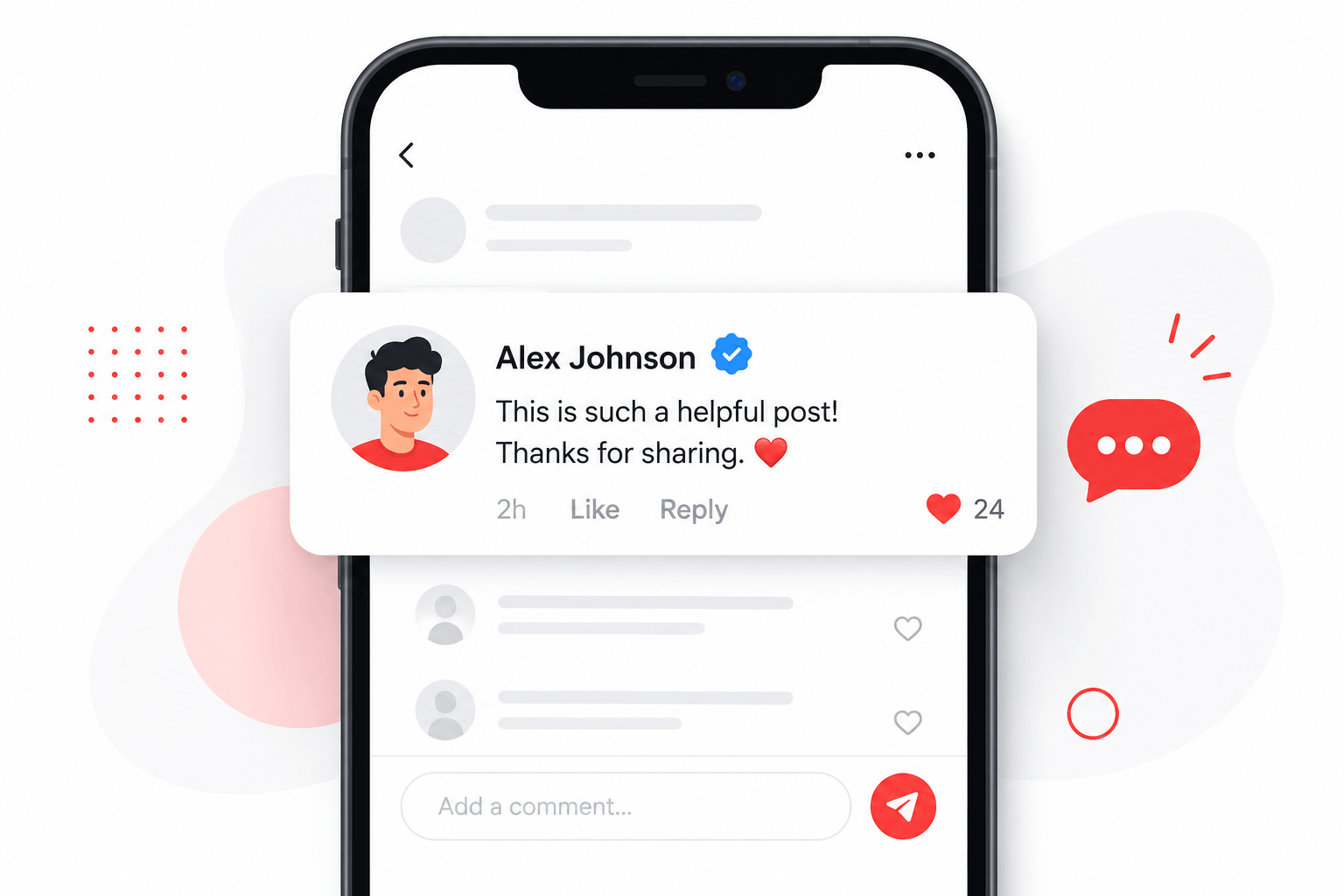
An Instagram Comment Generator is a browser-based tool that creates a mock Instagram comment card — the little box showing a profile picture, username, comment text, and an optional verified badge, styled to match Instagram's real interface. It's used to produce comment mockups for design mockups, presentations, memes, marketing examples, tutorials, or content previews, without needing an actual Instagram account or a live comment thread.
In short: it's a fake Instagram comment maker that outputs a real, downloadable image, giving you full control over every detail before anything goes public.
Why Use an Instagram Comment Generator?
There are a handful of everyday situations where a comment generator saves real time:
Content creators and marketers
Preview how a comment or reply will look before posting it live.
Designers
Build app previews, portfolio pieces, or UI case studies that reference Instagram's comment layout.
Educators and course creators
Need a clean example image for a tutorial on social media etiquette, moderation, or engagement.
Meme makers and editors
Want a stylized comment card for entertainment or parody content.
Developers and QA testers
Check how comment text, badges, or themes render across different lengths and languages.
Because the tool runs entirely in the browser, everything you type stays local — nothing is uploaded to a server, which matters if you're working with draft copy you haven't published yet.
Key Features of This Instagram Comment Generator
This particular Instagram Comment Generator is built to be fast, flexible, and genuinely useful for real design work, not just a novelty:
Upload your own avatar image directly from your device, or click "Randomize" to instantly assign a random placeholder profile picture.
Type in any username and any comment text you like. The comment card updates live as you type.
Switch the badge option on and a verified checkmark icon appears next to the username, matching the style used across real social platforms.
Choose between a Light theme, a Dark theme, or a colorful Gradient theme inspired by Instagram's signature branding.
The "Replying to" label can be displayed in thirteen languages, including Hindi, Spanish, Arabic, German, Japanese, Russian, Chinese, Italian, French, Portuguese, Korean, and Turkish.
Export a high-resolution image, rendered at 3x scale for crisp detail, ready to drop into a design file, presentation, or social post.
The Reset button clears every field and assigns a new random avatar, so you can begin a new mockup instantly.
How to Use the Instagram Comment Generator
Using this Instagram Comment Generator takes less than a minute:
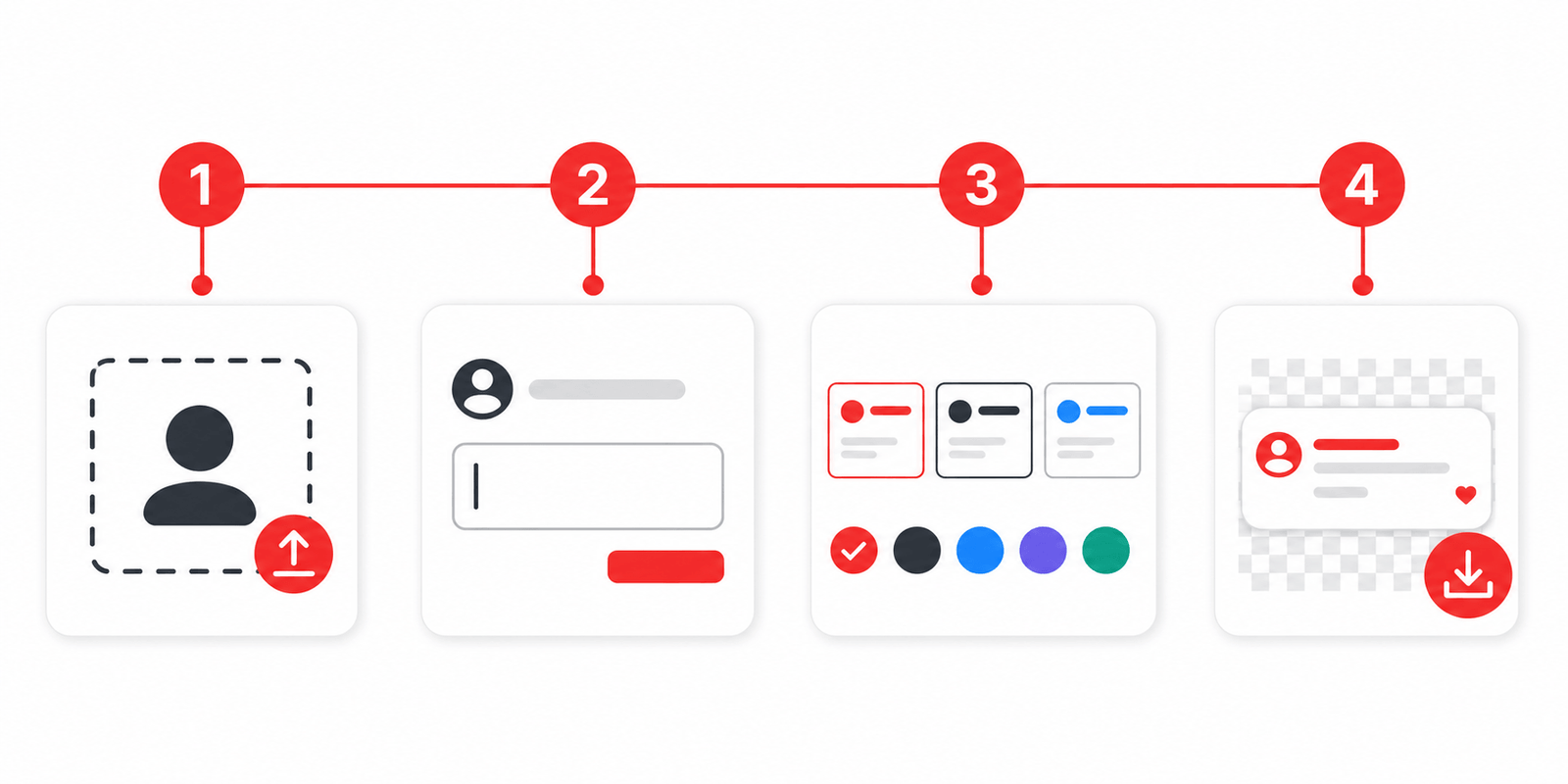
Click "Upload" to add your own image, or "Randomize" for an instant placeholder.
Type the name you want displayed under the comment.
Add the message you want the mock comment to show.
Select "Verified" if you want the checkmark icon, or leave it as "No badge."
Choose Light, Dark, or Gradient depending on the style you're going for.
Change the "Replying to" label to match your target audience.
Click "Download PNG" to save the finished comment card to your device.
That's the entire workflow. There's no sign-up, no watermark to remove, and no waiting on a server to process your request — everything happens instantly in your browser.
Why Realistic Detail Actually Matters in a Comment Mockup
A mockup only works if it holds up to scrutiny, and that's where a lot of quick, ad-hoc solutions fall apart. Sloppy fonts, mismatched spacing, or an avatar that clearly wasn't sourced from Instagram all break the illusion the moment someone looks closely — and in professional design work, that first impression matters more than people expect. A client reviewing a mockup, a student following a tutorial, or a reader glancing at a blog post illustration all form judgments based on how convincing the visual feels, not just what it says.
This is part of why building a comment card from scratch in a general-purpose design tool takes longer than it should. Getting the corner radius right, matching the exact gray used for secondary text, positioning the verified badge correctly next to a username — these are small details, but they add up to a lot of fiddly manual work for something that should be a five-minute task. A purpose-built generator handles all of that structure automatically, so the only decisions left are the ones that actually matter: what the comment says, who it's from, and what tone the mockup needs to set.
That reliability is especially useful when you need more than one mockup. Producing five or six consistent comment cards for a slide deck or a tutorial series by hand invites small visual drift between each one — a generator keeps every version aligned automatically.
Who Benefits Most From an Instagram Comment Generator?
While anyone can use this tool casually, a few groups get the most consistent value out of an Instagram Comment Generator:
Social media managers — previewing comment replies before scheduling them, or building example graphics for client presentations.
Bloggers and journalists — who need a comment-style visual to illustrate an article about social media trends, without pulling a real user's comment out of context.
App and UI designers — mocking up features that reference comment threads, replies, or verified account displays.
Meme and content creators — producing shareable graphics that mimic the visual language of Instagram comments.
Students and trainers — creating teaching materials around digital literacy, online safety, or social media marketing.
Instagram Comment Generator vs. Manual Screenshots
It's worth comparing this approach to the old-fashioned method of just screenshotting a real comment.
| Method | Control Over Content | Consistency Across Multiple Mockups |
|---|---|---|
| Manual screenshot | Depends on finding the right comment already in your feed | A mix of real screenshots rarely looks visually uniform |
| Instagram Comment Generator | Full control over username, wording, theme, and badge from the start | Every mockup stays visually consistent, ideal for slide decks or portfolios |
An Instagram Comment Generator removes all of that friction — you control every detail from the start, and you can regenerate as many versions as you need in minutes.
For Instagram's official brand and interface guidelines, see the Instagram Brand Resource Center — the authoritative reference for how Instagram's visual identity is meant to be used.
Frequently Asked Questions
Build the comment. Pick the style. Download in seconds.
Whether you're a marketer building a client presentation, a designer mocking up an app feature, or a creator putting together a meme — this Instagram Comment Generator gives you a fast, private, and genuinely flexible way to build realistic comment mockups. With custom avatars, verified badges, multiple themes, and thirteen languages, it covers far more ground than a typical mockup tool.
While you're here — check caption length with the Instagram Caption Length Checker, generate a bio with the Instagram Bio Generator, or find hashtags with the Instagram Hashtag Generator — all free on Onlinetoolix.
INSTAGRAM COMMENT GENERATOR
Create high-quality comment mockups. Customize avatar, username, comment text, badge, theme, and language — then export as PNG.