
What Is a TikTok Username Availability Checker?
A TikTok Username Availability Checker is a free online tool that tells you, in seconds, whether a handle you want is open to claim. Instead of typing a name into TikTok's sign-up screen, getting rejected, tweaking it, and trying again — sometimes five or six times in a row — you can test dozens of ideas instantly, without ever leaving this page or creating an account.
This TikTok Username Availability Checker was built for exactly that frustration. Type in a handle, hit check, and get an immediate status along with a direct link to verify it on TikTok itself. It removes the guesswork and the repeated trial-and-error that usually comes with picking a username on a platform where millions of people have already claimed the obvious ones.
Why You Need to Check TikTok Username Availability Before Signing Up
On TikTok, your username is your identity. It's what shows up in the search bar, in comments, in duets, in shares, and in every mention across the app. Picking one on the fly — without checking it first — often ends in one of two ways: you settle for something you don't really like, or you go back and forth for twenty minutes trying random variations until something sticks.
A dedicated TikTok Username Availability Checker fixes that. Here's why checking first actually matters:
- Saves time. Instead of trial-and-error inside the TikTok app, you get an instant read before you even open it.
- Prevents rebrand headaches. Locking in the wrong handle early often means changing it later, which can confuse followers and break old links.
- Keeps your brand consistent. Checking availability upfront makes it easier to secure the same handle across TikTok, Instagram, and YouTube.
- Reduces frustration. Nobody enjoys hitting "username taken" over and over — this tool cuts that cycle short.
How This TikTok Username Availability Checker Works
The tool is intentionally simple, but there's a clear process behind every check:
01 Instant Handle Verification
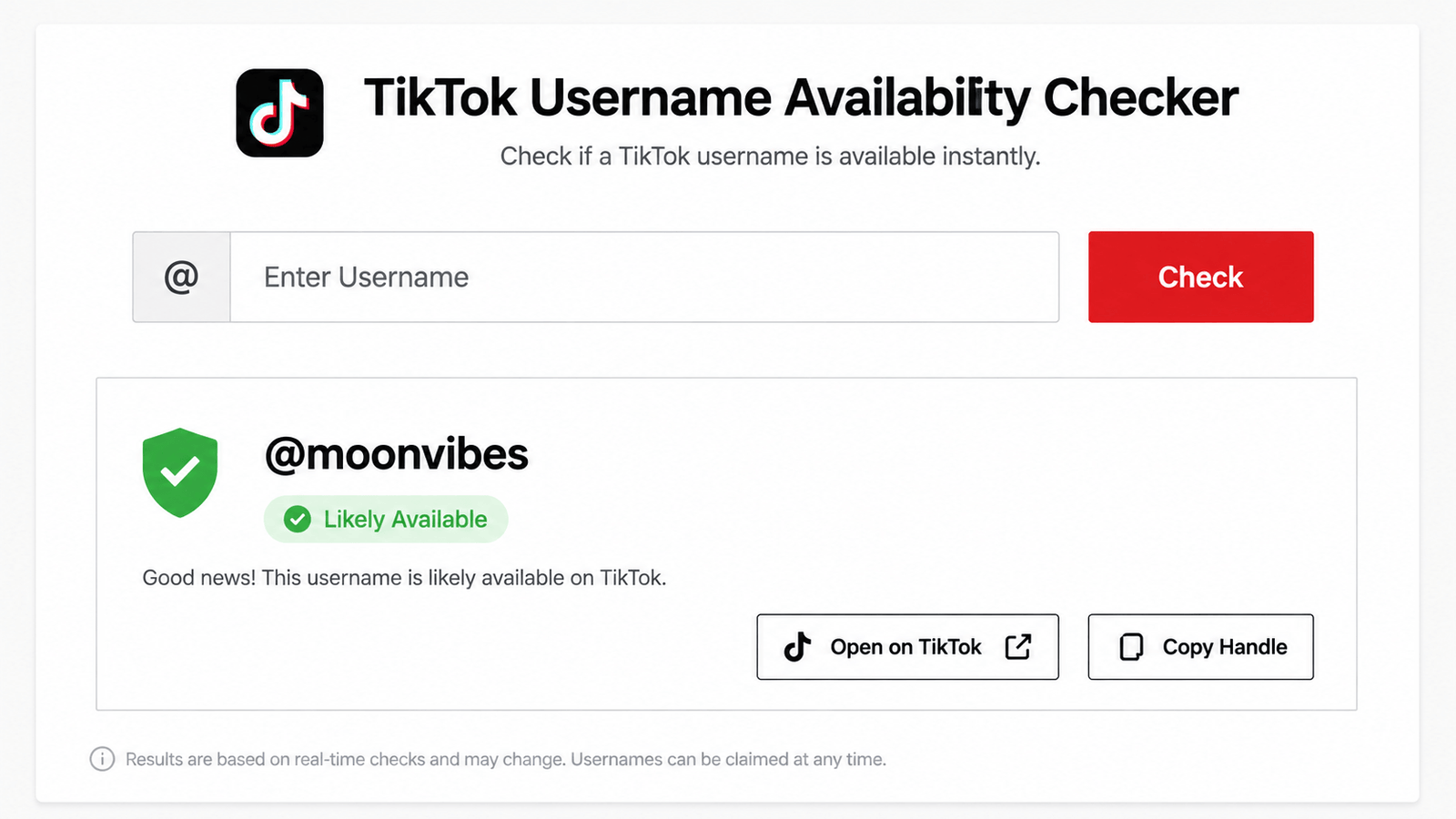
Type any username into the search field and get a status the moment you hit Check — no page reloads, no waiting screens.
02 Clear Status Badges
Every result is tagged Likely Available, High Chance, or Taken/Reserved, so you know at a glance which names are worth pursuing.
03 Direct TikTok Verification Link
Every result includes an "Open on TikTok" link, so you can double-check the handle directly on the platform before you commit.
04 One-Click Copy
Copy any checked handle straight to your clipboard, ready to paste into TikTok's sign-up form.
05 Saved History
Save the usernames you like to a running history list, so you can compare your favorites side by side before making a final decision.
Everything runs locally in your browser. Nothing you type is uploaded to a server, which means checking usernames here stays fast, private, and free.
How to Use the TikTok Username Availability Checker (Step-by-Step)
Type the handle you want to check into the input field — with or without the "@" symbol.
Click the Check button, or just press Enter, to run an instant availability read.
Look at the badge next to your result — green for likely available, cyan for a high chance, amber for taken or reserved.
Click "Open on TikTok" to confirm the result directly on the platform before signing up.
Save promising handles to your history, or copy one straight to your clipboard to use right away.
If your first pick shows as taken, just tweak it slightly and check again — the tool has no limit on how many times you can search.
Common Use Cases for a TikTok Username Availability Checker
New Creators
Anyone setting up their first TikTok account can test a handful of names before locking one in permanently.
Rebranding Accounts
Creators outgrowing an old handle can check new options before making the switch, avoiding a name that's already claimed.
Social Media Managers
Agencies naming accounts for multiple clients can quickly confirm which handles are open across different niches.
Businesses and Brands
Companies launching a TikTok presence can check their brand name before it's taken by someone else.
Cross-Platform Creators
Anyone trying to keep a matching handle across TikTok, Instagram, and YouTube can confirm availability on each platform in one sitting.
Tips for Choosing a Username After Checking Availability
- Keep it short and simple. Shorter handles are easier to type, remember, and say out loud in videos.
- Avoid odd spelling. If people have to guess how to spell your name, they'll struggle to find you again.
- Stay consistent across platforms. Once you confirm a handle here, check the same name with our Instagram Username Availability Checker to keep your branding aligned.
- Don't overload it with numbers. Long strings of digits make a handle harder to remember and type correctly.
- Match your niche. A handle that hints at your content type helps new visitors know what to expect before they even watch a video.
Common Mistakes to Avoid When Checking a Username
- Assuming a handle is available just because it "sounds unused" without actually checking it
- Skipping the final verification step directly on TikTok before signing up
- Picking a name so close to an existing creator's handle that it looks like an imitation account
- Changing usernames too frequently once an audience starts to recognize the current one
According to TikTok's official username guidelines, usernames can only include letters, numbers, underscores, and periods, and can be changed once every 30 days — worth keeping in mind before you lock one in.
Who Should Use This Tool?
This TikTok Username Availability Checker is useful for more than just brand-new users. It's built for:
- First-time creators setting up their very first TikTok profile
- Established creators rebranding or refreshing their handle
- Social media managers checking names for multiple client accounts
- Small businesses and brands securing their name before a competitor does
- Anyone brainstorming ideas with our TikTok Username Generator who wants to confirm which suggestions are actually free
Frequently Asked Questions
Final Thoughts
Picking a TikTok username shouldn't mean guessing and getting rejected over and over inside the app. A proper TikTok Username Availability Checker takes that friction away entirely — type a handle, get an instant read, verify it on TikTok, and move on with your setup in under a minute. Whether you're launching your very first account, rebranding, or managing handles for a client, checking availability first saves time and helps you land on a name you'll actually be happy with. If you're still brainstorming ideas, pair this tool with our TikTok Username Generator to generate fresh options and check them in the same sitting.