
Image Aspect Ratio Calculator: Resize Images the Right Way, Every Time
Stretched thumbnails, squashed banners, and distorted product photos almost always trace back to the same mistake — resizing an image without respecting its original proportions. Getting the math right by hand means dividing, rounding, and double-checking every time you resize something new.
That's exactly the kind of repetitive task an Image Aspect Ratio Calculator is built to eliminate — enter your numbers and get accurate, distortion-free dimensions instantly, with a live visual preview.
This free tool is part of the Onlinetoolix suite of image tools. Once your dimensions are locked in, use the Image Resizer Tool to actually resize the file to those exact proportions.
What Is an Image Aspect Ratio Calculator?
An Image Aspect Ratio Calculator is a free tool that works out the correct proportional dimensions for an image based on either a known ratio (like 16:9 or 4:3) or the image's actual pixel dimensions. Instead of manually calculating what height matches a given width while keeping the original shape intact, this tool does the math instantly and shows you a visual preview of the resulting proportions.
Why this matters: Aspect ratio matters more than it might seem at first. An image resized without preserving its ratio ends up stretched or squashed, which looks unprofessional and is often more noticeable than people expect, especially on banners, thumbnails, and hero images where proportion errors are immediately visible. A tool built specifically for this math prevents that mistake before it happens.
Why Use an Image Aspect Ratio Calculator Instead of Doing the Math Yourself?
Calculating proportional dimensions by hand is possible with basic multiplication and division, but it's easy to make small errors, especially when working quickly or resizing several images in a row. A dedicated Image Aspect Ratio Calculator removes that risk in a few clear ways:
Handles both directions of the problem
Sometimes you know the ratio and need new dimensions; other times you have raw pixel dimensions and need to know the ratio itself. This tool covers both calculations in one place instead of requiring separate formulas for each.
Simplifies ratios automatically
Finding the simplest form of a ratio, like reducing 1920×1080 down to 16:9, requires knowing the greatest common divisor of both numbers. The tool works this out instantly instead of requiring manual simplification.
Gives you a visual preview
Numbers alone don't always make it obvious how a ratio will actually look. A live preview box shows the resulting shape at a glance, so you can confirm it matches what you expect before applying it to your actual image.
Fast enough for repeated use
Designers and photographers often need to check several ratio calculations in a single session, and this tool makes each one nearly instant rather than requiring a fresh calculation every time.
Once you've calculated the right dimensions, compress your final image with the Image Compressor Tool or convert it to a web-friendly format with the Image to WebP Converter.
How to Use an Image Aspect Ratio Calculator in a Few Steps
The tool covers two related but distinct calculations, both accessible from the same interface:
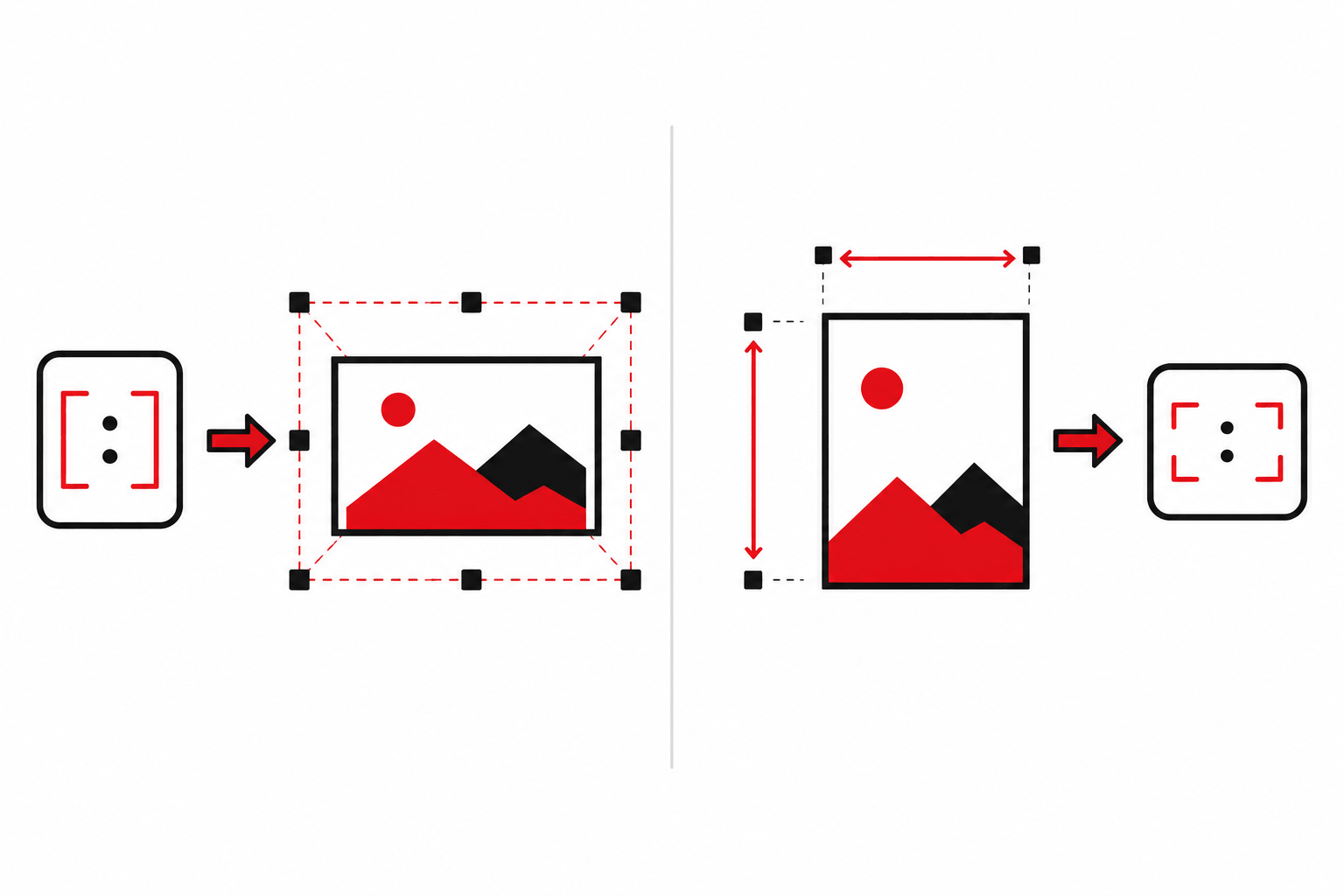
If you know the aspect ratio you want to maintain — say 16:9 for a video thumbnail — enter that ratio, then enter either your target width or target height. The tool instantly calculates the matching dimension needed to preserve that exact proportion.
If you already have an image's pixel dimensions and want to know its ratio, enter the width and height directly. The tool calculates the simplified ratio automatically, using the same math that reduces something like 1920×1080 down to the familiar 16:9.
Both calculators update the same visual preview panel, so you can immediately see how a given ratio looks in practice, not just as a set of numbers.
Common Use Cases for an Image Aspect Ratio Calculator
People across creative and technical fields rely on this kind of calculator for a variety of everyday tasks:
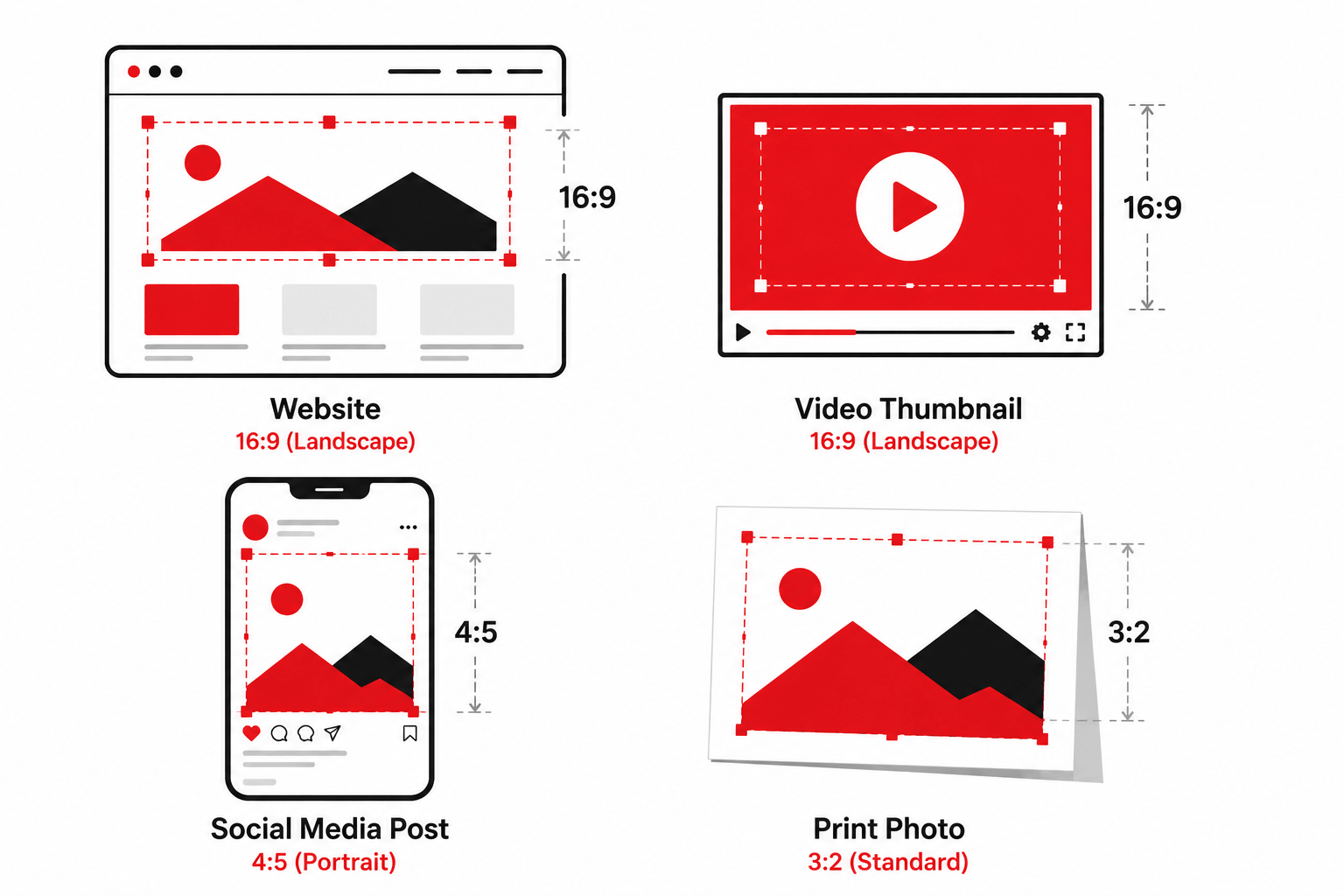
Resizing images for websites without distortion — web designers frequently need to fit an image into a specific width while keeping it proportional, and this tool calculates the exact height needed to avoid stretching.
Preparing thumbnails for video platforms — standard video thumbnail ratios like 16:9 need to be followed precisely, and this tool makes it easy to calculate the correct dimensions for any target size.
Checking social media image dimensions — different platforms expect different ratios for posts, covers, and profile images, and calculating the right dimensions in advance avoids awkward cropping later.
Print and photography work — photographers preparing prints in specific sizes often need to confirm that a chosen ratio matches standard print dimensions before sending files to a printer.
Verifying existing image proportions — sometimes the question isn't what size to resize to, but simply what ratio an existing image already has. The "Find Aspect Ratio" calculator handles this here, or use the dedicated Image Aspect Ratio Finder for a quicker, single-purpose lookup.
Features That Make This the Best Image Aspect Ratio Calculator
This tool was designed to cover both directions of aspect ratio math in a single, fast interface:
Calculate dimensions from a ratio, or calculate a ratio from raw dimensions — both handled in the same interface.
Uses proper greatest-common-divisor math to reduce any dimension pair to its simplest ratio form.
See the resulting proportions at a glance, not just as numbers on a screen.
No page reloads or waiting — every calculation updates immediately as you type.
No sign-up or account required — use it as many times as you need, at no cost.

Image Aspect Ratio Calculator vs. Manual Calculation
| Method | Speed | Risk of Rounding Errors | Visual Confirmation |
|---|---|---|---|
| Manual math with a calculator | Slow, especially for multiple images | Higher — easy to round incorrectly | No |
| Spreadsheet formulas | Moderate | Lower, but requires formula setup | No |
| Image Aspect Ratio Calculator | Instant | Very low — handled automatically | Yes — live preview included |
For anyone resizing images regularly, a dedicated calculator consistently produces more accurate, more visually confirmed results than working the math out by hand.
For more background on how aspect ratio is defined and used across media, see the Wikipedia article on image aspect ratio — a useful reference covering common standard ratios and their history.
Frequently Asked Questions
Enter your numbers. Get the right proportions. No distortion, ever.
Whether you're resizing a banner, preparing a video thumbnail, or checking an existing image's ratio before a print run — this tool handles the math instantly, with a live preview, completely free.
While you're here — resize your image to the calculated dimensions with the Image Resizer Tool, shrink the file size with the Image Compressor, or convert formats with the Image to WebP Converter — all free on Onlinetoolix.