
Random Paragraph Generator — Free Online Tool for Instant Text
If you have ever needed filler text for a design mockup, a writing exercise, or a quick content test, a Random Paragraph Generator is exactly the tool you need. Instead of manually typing dummy content or searching endlessly for placeholder text, this free browser-based tool creates unique, ready-to-use paragraphs in seconds.
No sign-up. No downloads. No data ever leaves your browser. Just choose your style, set a count, and generate.
This free tool is part of the Onlinetoolix suite of writing and content tools. No account required, no data stored, no cost.
What Is a Random Paragraph Generator?
A Random Paragraph Generator is an online utility that automatically creates blocks of text using pre-built sentence libraries. Instead of writing paragraphs from scratch, users can generate one or multiple paragraphs instantly, choose a specific tone or style, and copy or download the result for immediate use.
Unlike Lorem Ipsum generators that produce meaningless Latin text, this Random Paragraph Generator creates readable, English-language paragraphs that make sense contextually — making it far more useful for real-world applications like content previews, writing prompts, and UI testing where actual readability matters.
Why Use This Random Paragraph Generator?
There are dozens of tools online claiming to generate random text, but this one stands out because of its simplicity, speed, and flexibility. Here is why people keep coming back to it:
1. Completely Free and Instant
No hidden fees, no login walls. Just open the tool and generate as many paragraphs as you need, whenever you need them.
2. Multiple Writing Styles
This Random Paragraph Generator does not just produce one type of text. You can choose between Standard, Academic, and Casual styles — making the tool useful across very different use cases, from academic writing practice to casual blog drafting.
3. Runs Entirely in Your Browser
Privacy matters. Since everything happens client-side, no text you generate is ever uploaded, stored, or tracked. This makes the tool safe to use for any personal or professional project.
4. Bulk Generation Support
Need more than one paragraph? Simply set the number (up to 20 at a time) and generate them all in a single click — perfect for testing longer content blocks or filling out multi-section designs.
5. Easy Export Options
Once you have generated your text, copy it directly to your clipboard or download it as a .txt file for offline use.
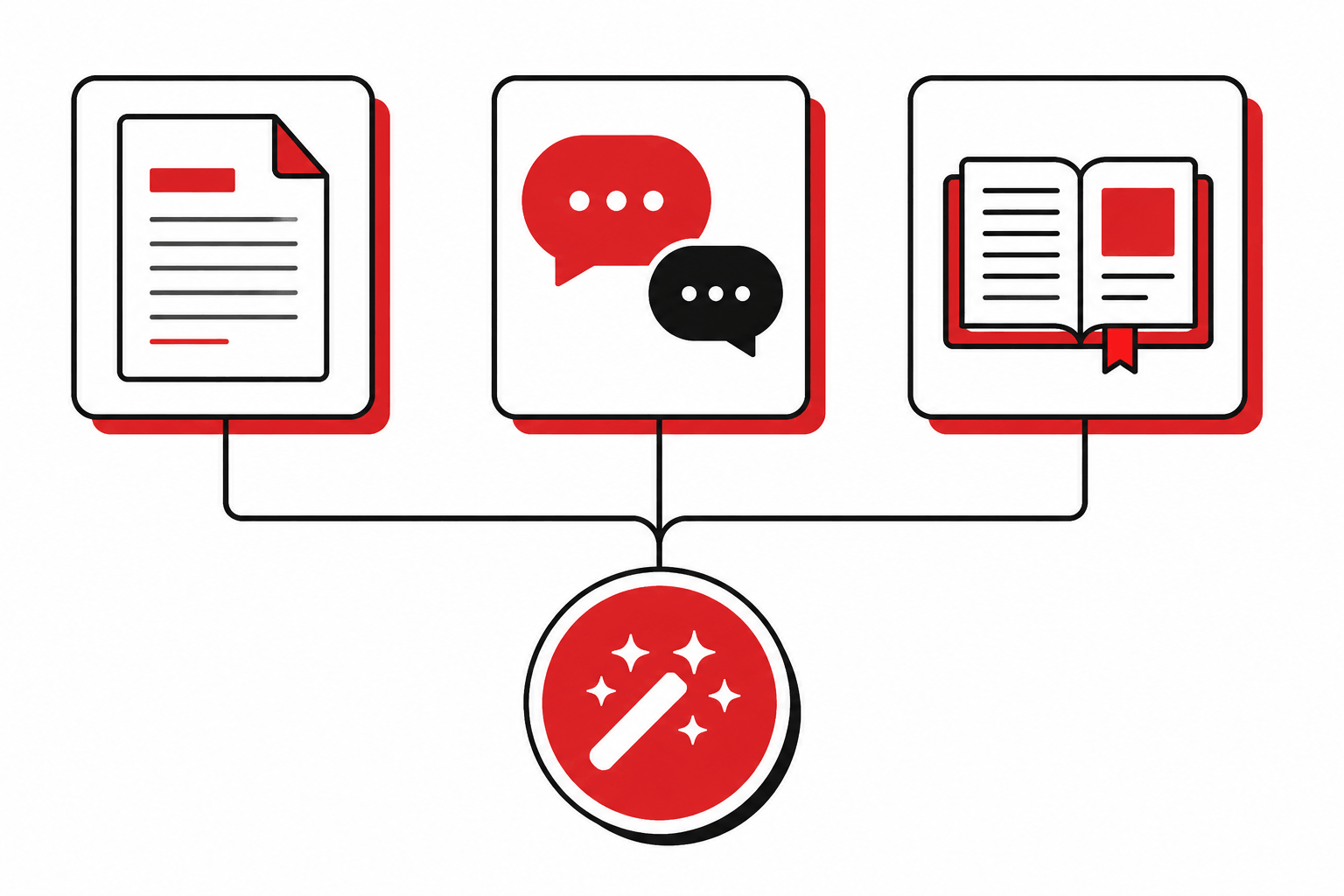
Three Writing Styles to Match Any Use Case
Everyday, general-purpose sentences. Ideal for UI mockups, landing pages, and any context where neutral, readable text is needed.
Formal, research-oriented language. Useful for academic writing practice, sample citations, or testing how professional copy renders in a layout.
Relaxed, conversational tone. Great for blog drafting, social media caption testing, or any context that needs a natural, friendly voice.
After generating your paragraphs, check their readability and word count with the Free Word Counter or estimate how long they take to read with the Reading Time Calculator.
Who Should Use This Random Paragraph Generator?
Quickly fill wireframes, templates, or CMS layouts with realistic-looking text instead of repetitive placeholder content.
Use generated paragraphs as a creative warm-up or inspiration starter when facing writer's block on a new piece.
Practice typing speed, proofreading, or sentence analysis using varied paragraph styles across Standard, Academic, and Casual modes.
Test how different text lengths and styles render across apps, emails, or websites before real content is ready.
Generate practice material for grammar, comprehension, or proofreading exercises without writing new content each time.
Use Casual-style paragraphs to test caption layouts, post formats, or character limits before writing final copy.
How to Use the Random Paragraph Generator
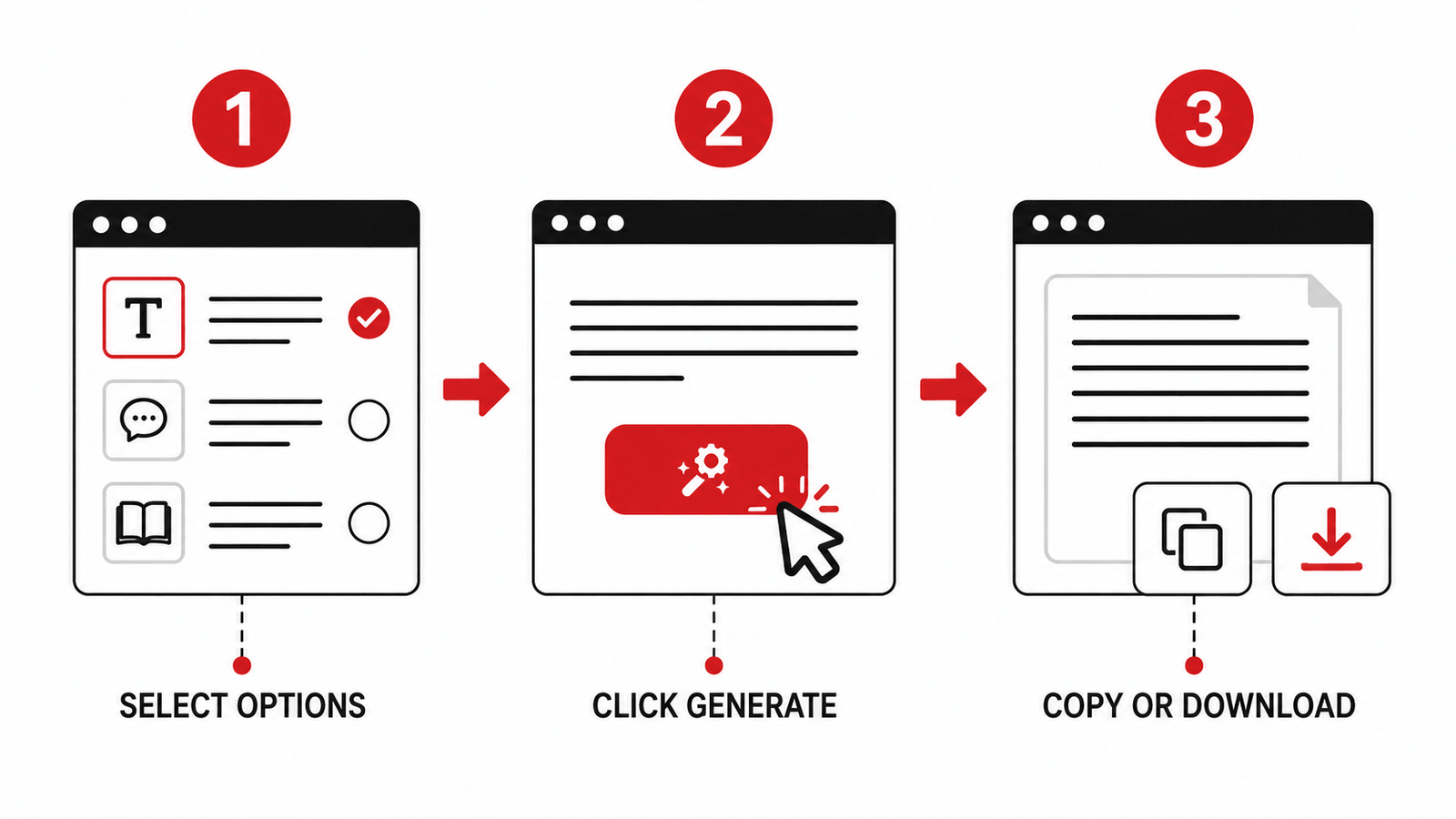
Using this tool takes just a few seconds — no configuration, no waiting, no unnecessary steps:
Choose from 1 to 20 paragraphs using the count field.
Select Standard, Academic, or Casual based on the tone you need for your content or project.
Your unique paragraphs appear on screen instantly — no page reload, no delay.
Use Copy All to paste the text anywhere, or Download .txt to save it for later use.
Random Paragraph Generator vs Lorem Ipsum
Many people default to Lorem Ipsum when they need placeholder text, but it comes with a major drawback: it is not real language, which makes it hard to gauge actual readability, spacing, or tone. A Random Paragraph Generator solves this problem by generating real English sentences that mimic natural writing patterns.
This makes it a better choice when you want text that looks and reads like genuine content, can be understood and evaluated by real readers, and matches a specific tone — formal, casual, or academic — rather than meaningless Latin that tells you nothing about how real copy will feel.
For a reference on why readable placeholder text matters in UX design, see this UX Stack Exchange discussion on the proper use of Lorem Ipsum — a widely cited thread explaining when real-language placeholders outperform Latin filler in design and testing contexts.
Key Features at a Glance
100% Free, No Sign-Up Required
Three distinct writing styles — Standard, Academic, and Casual
Generate up to 20 paragraphs at once in a single click
One-click Copy All and Download as .txt file
Fully browser-based — no data stored or uploaded at any point
Mobile-friendly and responsive design — works on any device
Instant results with zero loading delays
Tips to Get the Most Out of This Tool
Use the Academic style when practicing formal writing structures or preparing sample text for research-based projects — the sentence structure mirrors scholarly publications.
Use the Casual style when brainstorming blog intros or social captions that need a relaxed, friendly tone — great for testing how conversational copy sits in a layout.
Combine multiple styles across sessions to compare how different tones affect readability and flow in the same design template.
Use the download feature to build a personal library of test content for design or development projects — generate a batch, save it as a .txt file, and reuse across multiple projects.
Paste generated paragraphs into the Passive Voice Checker to analyse sentence structure and understand how active vs. passive voice affects tone across different writing styles.
Frequently Asked Questions
.txt file or copy it directly to your clipboard with a single click.Generate unique, readable paragraphs in seconds — free, private, and instant.
A reliable Random Paragraph Generator makes everyday tasks — from web design to content writing — significantly faster and easier. With support for multiple styles, bulk generation, and instant export options, this free tool is built to handle real-world use cases without any unnecessary complexity.
While you are here — count your generated text with the Word Counter, check reading time with the Reading Time Calculator, or explore more free tools at Onlinetoolix.